B’Smart Remote Engine Diagnostics: bringing machinery diagnostics to the cloud
Engine data, DTC fault codes and CAN Bus tests to prepare service visits with better context, depending on each machine’s available data.
By B’Smart
6 min read
With remote diagnostics, your workshop can review the machine data available before deciding on an intervention.
Can you check the common rail injection pressure of a machine hundreds of kilometres from your workshop? With B’Smart Remote Engine Diagnostics, you can review that reading remotely when the machine’s ECU and integration support it. This is not just a technical question: it is about having useful information before deciding whether to send a technician.
For an equipment rental fleet, shortages of specialist technicians, travel and machinery downtime affect your service. Bringing part of the diagnostic process to the cloud helps you understand an incident, prepare an intervention and follow its progress without always starting with a site visit.
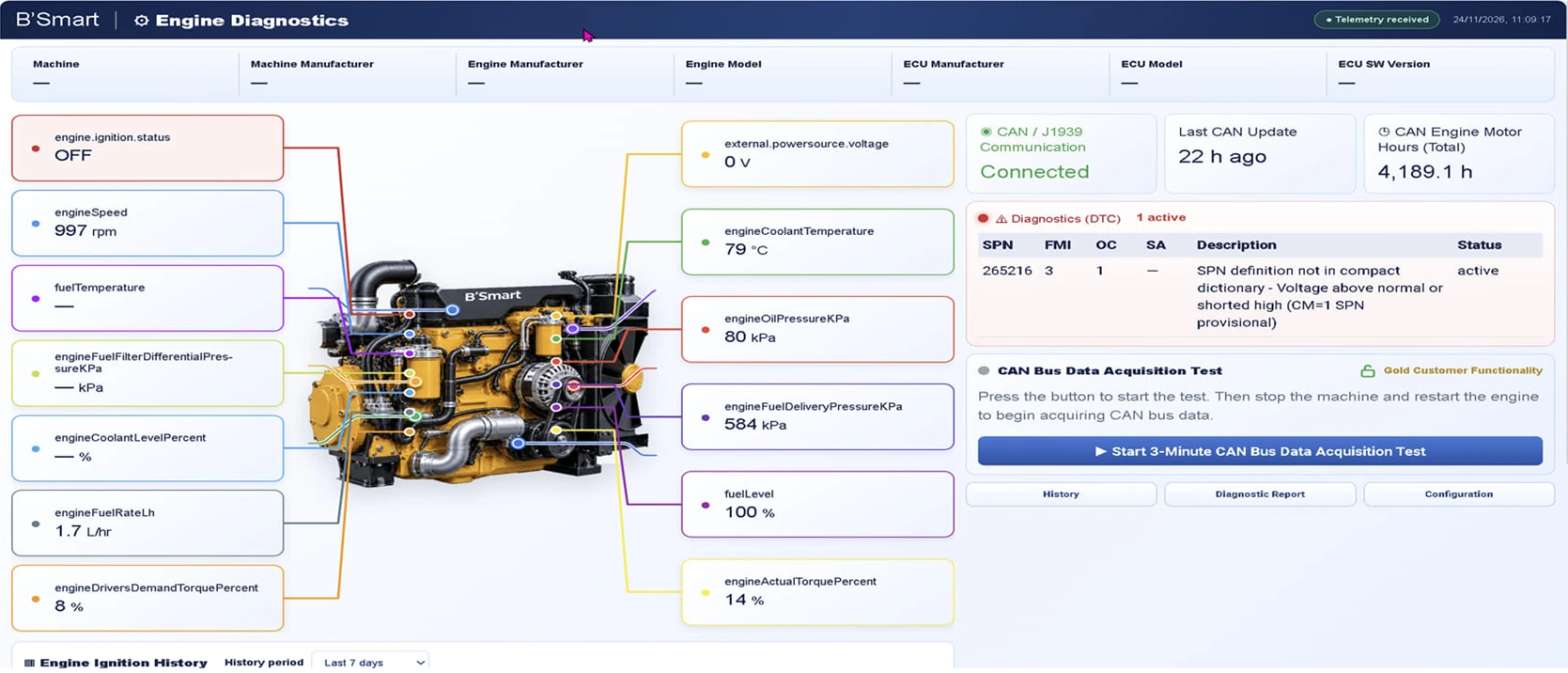
B’Smart Engine Diagnostics dashboard: engine parameters, DTC fault codes and remote CAN Bus data acquisition.
From a fault notification to the context your workshop needs
An operator’s report rarely explains the whole problem. Knowing that an engine has lost power is not enough to distinguish a working condition from an unusual sensor reading or an incident that requires you to stop the equipment. Remote diagnostics add context so your workshop can prioritise using technical judgement.
B’Smart brings together the machine information available to your technical team. You can compare symptoms with engine parameters, fault codes and operating history. It does not replace your expertise: it helps you apply that expertise earlier, with better information.
Engine monitoring: the variables available through CAN Bus
On compatible diesel engines, a CAN Bus connection can provide variables that help you assess operation. Availability depends on the ECU, machine model and integration; different machines do not necessarily expose the same data.
Engine speed: revolutions per minute and how they change during starting or operation.
Temperatures: coolant temperature and other temperatures reported by the ECU.
Pressures: common rail injection pressure, oil pressure or other available signals.
Fuel and AdBlue: levels, consumption or status where available.
Engine hours: usage context to relate an incident to service and maintenance.
A single reading does not confirm a fault. Compare variables with one another, with working conditions and with the machine’s technical documentation. B’Smart works with you to verify which signals you can use on each machine.
DTC fault codes: SPN, FMI and occurrences
ECU diagnostic codes provide another layer of information. Where the protocol supports them, you can review the SPN, which identifies the affected parameter or element; the FMI, which describes the reported failure mode; and the occurrence count, where supplied by the ECU.
Available descriptions make codes easier to read, but not every code has a complete, accessible interpretation. Check the code, its status and its context against technical documentation and the machine’s symptoms.
A DTC guides investigation; it does not establish on its own which component you should replace.
Reviewing this information before leaving the workshop can help you prepare suitable tools, documentation and parts, or identify a safe check worth carrying out first.
DPF and ignition history: understanding working conditions
Where the ECU exposes the information, you can review diesel particulate filter status, saturation indicators, differential pressure and regeneration data. Comparing these with engine speed and temperatures helps you understand the conditions in which a warning appears.
Regeneration information and any associated action depend on the machine and integration. Do not assume you can start regeneration remotely: any such function must be explicitly supported and follow the manufacturer’s procedure and safety conditions.
Ignition history, where available, adds context about starts, stops and operating periods. You can use it to check the operator’s account and place an incident within the machine’s sequence of use.
CAN Bus Data Acquisition Test: a three-minute test on demand
The CAN Bus Data Acquisition Test lets you request a three-minute data capture when the function is available and the machine has connectivity. It is a bounded capture for analysing a specific behaviour, not a promise of continuous recording of every parameter.
For example, if a machine has a starting problem, you can follow this sequence:
Agree the starting actions with the operator, following a safe procedure.
Request the three-minute capture when the function is available and the machine has connectivity.
Review common rail pressure and engine speed during starting and, if the engine starts, while it runs.
Analyse the signals provided by the ECU and choose the next check with your technician.
This sequence can help you develop a hypothesis and choose the next check. Data capture does not replace a physical measurement where one is needed or certify that a component is in good condition.
Fewer unnecessary trips and better-prepared interventions
Some incidents can be clarified without sending a technician; others require a visit. The value lies both in avoiding certain unnecessary trips and in better preparing the visits you do need.
Costs: you can reduce trips that do not enable a useful intervention.
Technician productivity: your team spends less time gathering basic information.
Downtime: better preparation can shorten coordination and investigation.
Availability and revenue: returning a machine to service sooner can recover productive, billable hours.
Customer service: you can explain the situation more clearly and organise the next step.
These are operational goals, not guaranteed savings. Remote diagnostics do not replace every workshop tool, manufacturer test or physical inspection.
Availability: check your fleet’s configuration
Remote Engine Diagnostics is available in Beta for Gold plans and above, with compatible diesel CAN Bus engines. Functions and parameters vary by ECU, machine and configuration. Before adding equipment, confirm with B’Smart which readings you can review, which tests are supported and which connectivity requirements apply.
B’Smart’s goal is to address 100% of the challenges of your rental fleet and its associated processes. This is an ambition for operational partnership, not a claim of universal compatibility or that one feature resolves every fault.
Before your demo
Gather the machine model and ECU information.
Choose an incident your workshop knows well: checking a start, understanding a DTC or preparing a visit.
Define the decisions you want to improve with your technical team.
B’SMART · SMARTER FLEETS
Request a personalised demo with your machinery
We will review the data available from your machines with you and how to integrate it into your operation.
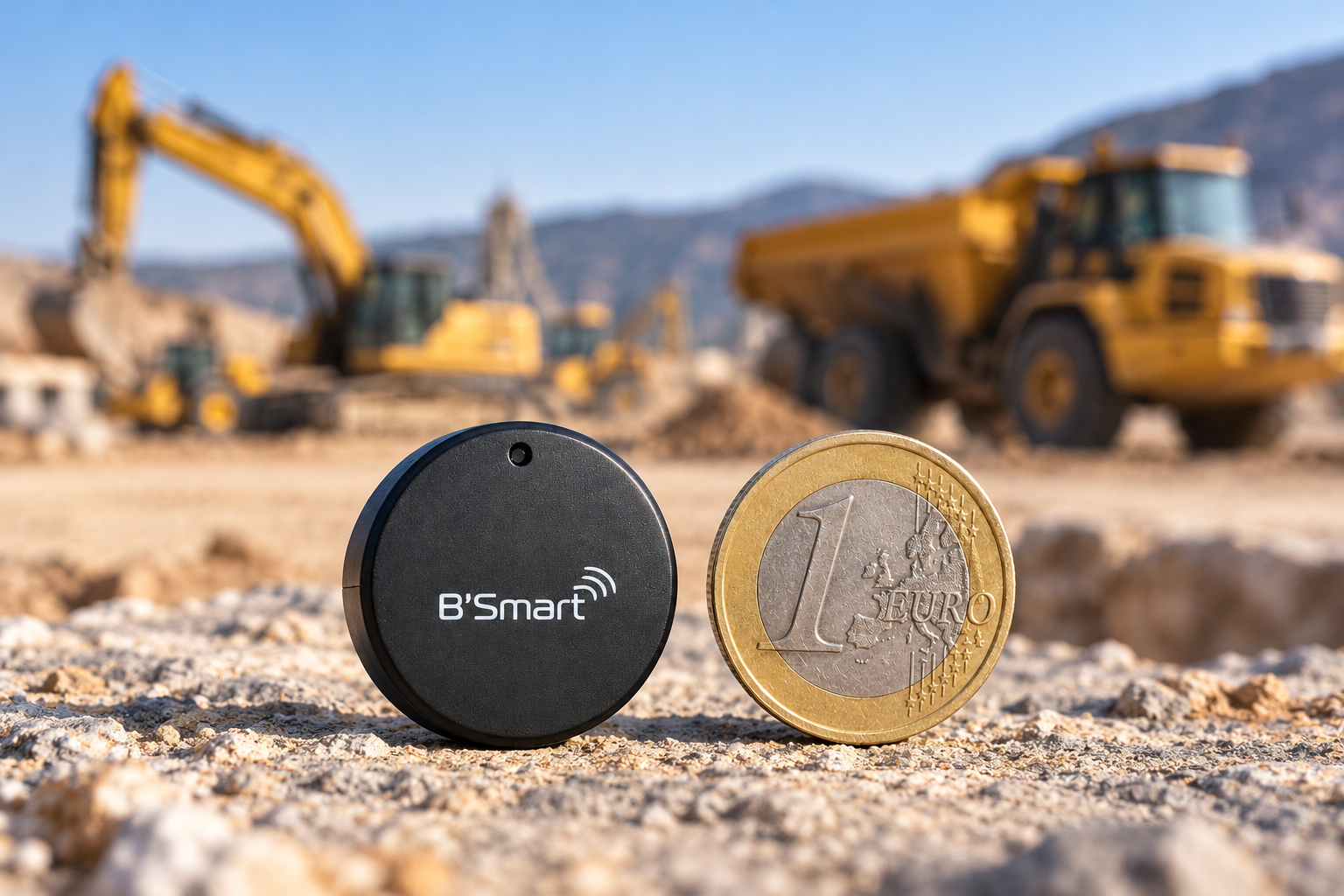
Asset tracking using coin-sized devices, with no SIM card or installation required, up to 10 years of battery life, and the ability to locate assets in remote areas.